Monday, October 26, 2009

The Gang goes to Zollverein in Essen

On the way

It was 6.30 in the morning when we gathered in Schiedam Centrum to leave for Essen. Although it was very early, but it seemed that everybody was awake in the early dark of 14th November. As we moved the roads were getting busier and it was getting brighter. I with Jorit, Annelies, Danielle and Jolien were in my car. Graham, Christina, Niek, Nicolo, Clara, Marte and Rick were in other cars leaving respectively from the Hague and Utrecht.

During the drive in the Netherlands some were seeing the sun coming up and others were getting a nap.


Above: Annelies getting a nap.

Once I entered Germany I pushed the gas pedal to the bottom. In a few seconds 210 km/h was reached. The other four were watching the KM meter quietly and stressful. Although the top was not reached, I reduced the speed to 180 to avoid panic.

At 8.30 we were at Essen. We were earlier than planned, so we went to cash some money and then we went to a bakery


Above: Just finished with the breakfast.


At Zollverein
At 10.00 we were at Zollverein, the famouse industerial place in Essen. The first look was amazing. It could be seen from far away.


Above: The very well known Zollverein Tower of the coal production

After visiting Anja and Jens we all sat around the table and begun brainstorming about the whole projects and different aspects in different groups. I was with Annelies Nocolo, Jorrit, Graham and partly Christina.

Above: The kick off meeting table where we were all gathered and were brainstorming in groups.


Sunday, October 4, 2009

The CyberRobot plugin

"When there is a CyberCity with robots, these robots should be called the CyberRobots."

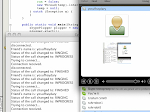
The Main part of my traineeship assignment is the plugin to be developed in java to communicate with the CyberRobot(CR) through Skype. There is already an application called the CamControl which also communicates through Skype and is written in java, but it is like a mix of long spaghetti ropes where the beginning or the end cannnot be found. This plugin works acutally very well and stable, but it can't control the CR. It is written by Tim. He has written this for the Webchair. A meeting was arranged with him so I could get some explanations. We finally met on a friday afternoon and he begun to look at his own code. It was a while ago since he had developed it and obviosely he had to look, search and think on many things. The meeting finished and I still had no idea of how and where. Maybe because it was friday late? ;)

The next time I sat behind my desk, I began destroying the spaghetti in anyway I could. It definitly helped me to find where it begins. On the other hand I found a very useful example which made some parts clear.

I have now begun to develop my own code with the help of the two examples I have. There are no good documentation on the Skype4Java API so that is also most of the times try and catch ;). But there is some progress. The main things acheived until now are:

- detect skype on mac safely (very unstable and thread unsafe)
- listen for a call (both incoming and outgoing)
- listen to the call status change
- distinguish friends or non-friends (in skype it's possible to call even someone not on your list)
- automatically answer if the caller is a friend or reject if not a friend

It seems that skype4java works very stable and easy on windows os. On Mac OSX it doesn't do the same thing expected. So every step should be tested and tried on both OSs.

The next step will be to create a handshake and a stream. The handshake will be used for confimation and the stream will be the the canal through which the application will control the CR(CyberRobot).

Here is where the CR's home

The Arduino Mega

It has been a while since my last blog update. It has been busy days working on the code development. In this periode I have mainly worked on two things: the Arduino Mega and CyberRobot plugin. CyberRobot plugin will be discussed in a separate subject.

Arduino Mega(AM) is an open source board developed by a company in Italy. This board will be used on the Robot to control the drive motors via an H-bridge. It has an Atmega microprocessor, PWM output, Digitial output and Analog input onboard. But the most useful thing about AM is that it is equipped with FTDI chip which makes the direct usb input possible. Otherwise a usb-serial converter should be used.


Above: the AM. Click to enlarge.

An Arduino Alpha program is developed by some programmers which users can directly code in java and compile and upload their program in AM. So that is also a plus point for me, although the main language for programming such boards and chips is assembly and C.

In an our I managed to install the whole thing and write my very first "Hello World" proggy and upload it on the AM. The Next step was to manage the communication between the pc and the AM, so I could use the communication for later purposes. The next day I could write a little program for AM to confirm a handshake. The handshake is very important because the AM should be recognized automatically by program. What is does now is that it sends a message to the device which tries to connect. With the help of that message the program on the device can decide wether to attach to AM or not.

The next step was to manage and play with some leds on AM. Because if the leds can be controlled, the same signal can be used later to control the drive Motors via H-bridge.

Also a little proggy is developed in java to work in the PC to recognize and attach to the AM. It goes through all available ports and waits for the handshake. When the handshake is received the program remains attach to that port.


Above: The proggy developed in java to control the AM. Click to enlarge.
Down: AM attached to my PC. Click to enlarge.